 Equipe LovePanda
“Making a website” sounds like a job for a programmer, but what makes a website for your girlfriend special isn't the code. It's the content: the photo from your first date that only you have, the nickname nobody else uses, the song that was playing in the car on the drive back from the beach. The technical part can be handled in three ways, and one of them needs nothing but your phone.
In this guide: 12 ideas for what to include, a structure that works, the three ways to make it (with pros and cons), the step-by-step for the ready-made format, ideas by occasion and how to give it to her.
What to put on a website for your girlfriend: 12 ideas
- An opening with her name and a line only the two of you understand — “for the owner of the worst sense of direction in town.”
- Your song, playing while she scrolls. If it's the one from your first date, say so somewhere.
- Your time together, counting up — days, hours and minutes since the day it all began.
- The photos that tell the story, including the imperfect ones: the blurry concert shot, the one with rain-soaked hair, the screenshot of your first conversation.
- A timeline — the first “hi,” the first date, the day you made it official, your first trip, the lunch where she met your family.
- The sky on the day it all began — a star map with the date and the place. See how it works in personalized star map.
- Your places on a map — the coffee shop of your first coffee, the beach from that long weekend, the city you both want to see.
- A game — a quiz about day one or a secret word for her to guess: her nickname, the dog's name, her favorite dish.
- A dictionary of the two of you — your words and inside jokes, with the definitions only you two would give.
- “Open when…” letters — for when she misses you, for a rough day, for her next birthday.
- The main letter — two paragraphs are enough, as long as they're specific.
- An invitation at the end — a date wheel, a dinner voucher, the plan for next weekend. End the website with something to do together.
You don't need all 12. A website with five well-chosen items — your song, your time together, six photos with captions, the letter and an invitation — works better than one full of empty sections.
How to organize the website: a 3-act structure
Think of the website as a short film, with a beginning, a middle and an end. When the order is clear, even a few photos tell a story:
| Part | What goes in | Example |
|---|---|---|
| Beginning: who and when | Her name, your song, the date it all began, your time together | “It's been 1 year, 3 months and 12 days since I sent you that meme” |
| Middle: what you've lived | Photos, a timeline, places, games and inside jokes | The photo from your first concert, the map of your trip, the day-one quiz |
| End: what you feel and what's next | The letter and an invitation | “Saturday, we're finally trying that pizza place” |
Lines for the opening and the letter
“This website has exactly one delivery address: you. Turn the volume up.”
“I was going to send you just an “I love you,” but I figured there was room for more. Room for a song, a few slightly blurry photos and about five hundred days.”
“You say I never remember things. So I wrote them all down here.”
“If you ever start to doubt it, come back here. It's all written down, with dates and photos.”
How to make a website for your girlfriend: 3 ways
- From scratch
Coding it
With HTML and CSS and free hosting like GitHub Pages, you can build exactly what you want. It takes knowing how to code (or learning), it takes days, and the site has to work well on her phone — test it a lot.
- With a tool
Google Sites or Canva
You can build it without code: Google Sites publishes a page with photos, text and YouTube videos; Canva publishes a design as a website. It takes a few hours, the look is simpler and the music doesn't always play on its own. There's a step-by-step in how to make a digital gift for free.
- Ready-made
Personalized, by link
Platforms like LovePanda already have the design, the animations and the time-together counter built. You fill it in with your photos, song and letter on your phone, check the preview and get a link and a QR code. It's paid, with a one-time payment.
| What changes | From scratch | Google Sites or Canva | Ready-made (LovePanda) |
|---|---|---|---|
| Cost | Just the domain, if you want one | No cost | One-time payment |
| Build time | Days | A few hours | Shorter: the design is ready |
| Music playing | If you code it | Not always | Yes, inside the gift |
| Live time together | If you code it | No | Yes |
| Animations and games | If you code them | Limited | Stories, quiz, secret word, turning pages |
| Look on a phone | Up to you | Basic | Made for phones |
If you're comparing ready-made platforms, the guide to the best digital gift website shows what to check: how long the gift stays online, whether you can edit it after publishing and whether there's a real example to see before you pay.
What the ready-made “website” looks like at LovePanda
LovePanda has two gifts that work as a website for your girlfriend, each with its own link. The Couple Retrospective opens on a page with your song, your photos and a counter of your time together. From there, she steps into animated stories, in the style of the year-end recaps music apps put out: your minutes together on an odometer, your love in numbers (days, weekends, full moons), your song on a cassette tape, a quiz about the day it all began, the moon that day, your milestones in a passport and your letter under a wax seal. At the end there's a vertical summary card, in case she wants to post it to her Stories.
You can add chapters like the timeline, the star map, your places on a map with a boarding pass, the secret word and the surprise wheel. The Couple Album takes a different route: it's a book to flip through on screen, with your letter in an envelope and sections like “open when…” letters. Below is the Retrospective's timeline and, with the switcher, the Album's pages:
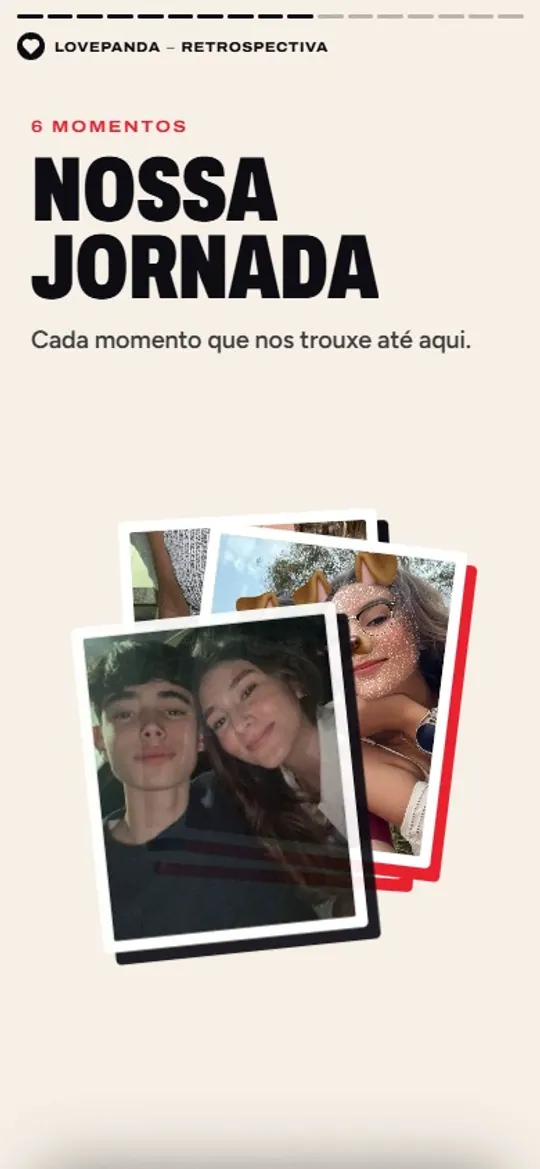
The timeline
Your moments as posters, one at a time, each with its photo, date and caption.
One data point shows what matters most in a gift like this: in LovePanda internal data (Sept 2026), practically every retrospective has a song. Choose yours carefully; there are tips in how to choose the music for your gift.
Step by step: her website, ready on your phone
- Gather 5 to 15 photos and your song, as a YouTube link.
- Start creating the Retrospective and fill in your names and the date you got together.
- Choose the chapters that fit you two: timeline, star map, places, secret word, surprise wheel.
- Write the letter. It appears near the end, with a wax seal and your signature.
- Check the preview — names, dates, photos and sound.
- Choose your plan and pay, with a one-time payment.
- Get the link and the QR code, test it on your phone and pick the moment to send it.
Website ideas by occasion
| Occasion | What to highlight | The detail that makes a difference |
|---|---|---|
| Monthiversary | Your time together and the next milestone | Sending it at the exact time you got together |
| Her birthday | Photos from the past year and a letter about who she is | Arriving at midnight, before anyone else's message |
| Relationship anniversary | A timeline and the year's milestones | Ending with the plan for the celebration |
| Valentine's Day | Your song and the sky on the day it all began | A QR code inside the card on the flowers. See our Valentine's Day gift ideas |
| Asking her to be your girlfriend | Your first months, from the first “hi” until now | The question in the letter, at the very end. More ideas in creative ways to ask her out |
| Long distance | Each of your places and your next reunion | Opening it together on a video call |
| After a fight | Only after you've talked | A website doesn't replace a sincere apology; it can come afterward, as a gesture |
How to give her the website
- At a time that means something — midnight on her birthday, the time of your first date.
- With a line that sets the mood — “open it when you're in bed, with headphones on.”
- Printed as a QR code inside a handwritten card; ideas for where to hide it in gift with a QR code.
- In person — on your phone, on the couch, after dinner. Seeing her reaction is half the gift.
How much does a website for your girlfriend cost?
Built from scratch or with a site builder, it costs nothing but your time — plus a domain, if you want a custom address. Ready-made at LovePanda, the Retrospective starts at $4.90 and the Album at $9.90, with a one-time payment and no subscription. On every plan the gift is the same; what changes is the time frame. With the Retrospective, the Just Today (24h) plan stays online for 24 hours and Forever is lifetime; the Album stays online forever on both plans. You build it and see the preview before you pay.
| Plan | Price | What changes |
|---|---|---|
| For 24 hours | $4.90 | A surprise to enjoy today. Access for 24 hours. |
| Forever | $9.90 | Keep your story close, with lifetime access. |
Website for your girlfriend: FAQ
The perfect website for her isn't the most beautiful one on the internet. It's the one only you could have made.
Explore our gifts
Discover our personalized digital gift options
