Voltar ao blog
Presentes Digitais

How to Create a Friendship Website: Complete Guide to Building a Personalized Page

Lucas MendesLucas Mendes·25 de fevereiro de 2026·8 min de leitura
Personalized friendship website with photos, music, and animated retrospective on a phone

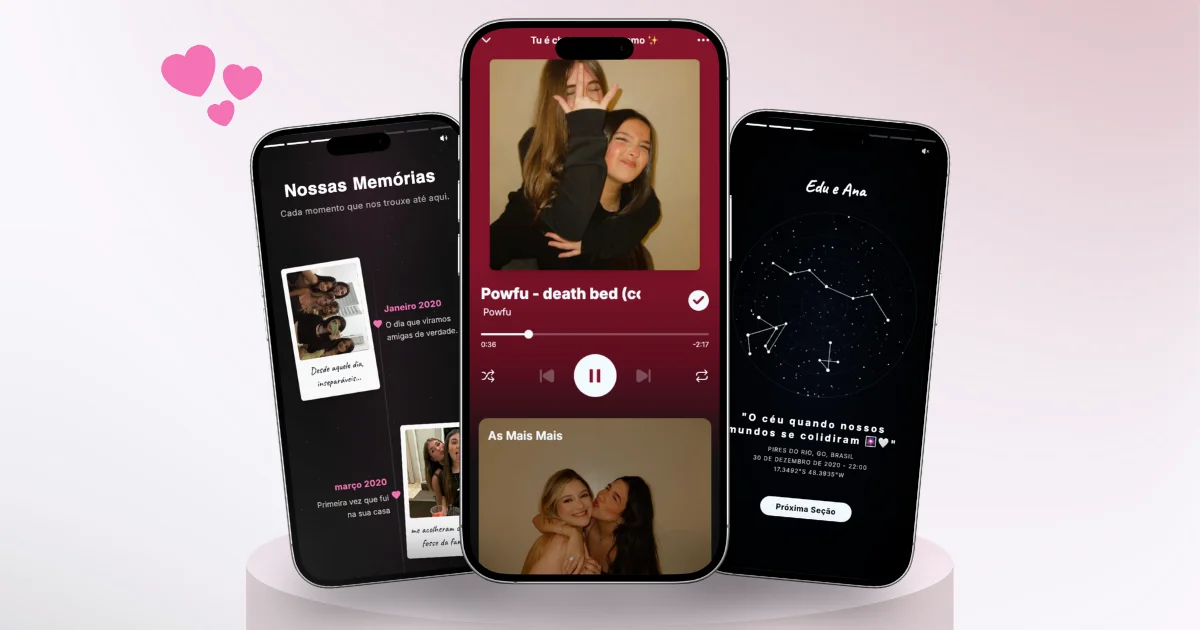
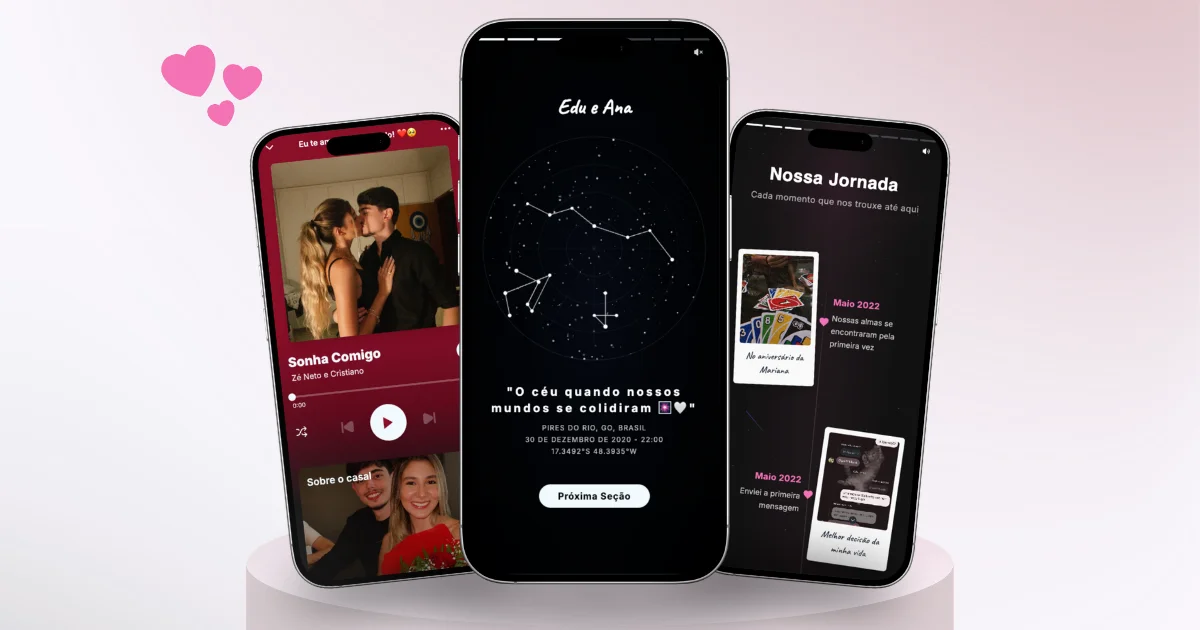
A friendship website is a personalized digital page with photos, music, messages, and an animated Spotify Wrapped-style retrospective that celebrates the story between you and your best friend. It's the most creative and emotional gift you can give to someone special — and the best part: it's ready in 5 minutes, no coding skills needed.

If you've seen those personalized websites made for couples and thought "I wish I could make one like that for my friend," the good news is you can. Just like you can create a website for your girlfriend, you can also create a complete page dedicated to friendship — with all the interactive sections, including the Wrapped Retrospective. In this guide, you'll learn everything: what it is, what it includes, and how to create yours from scratch.

What is a friendship website?

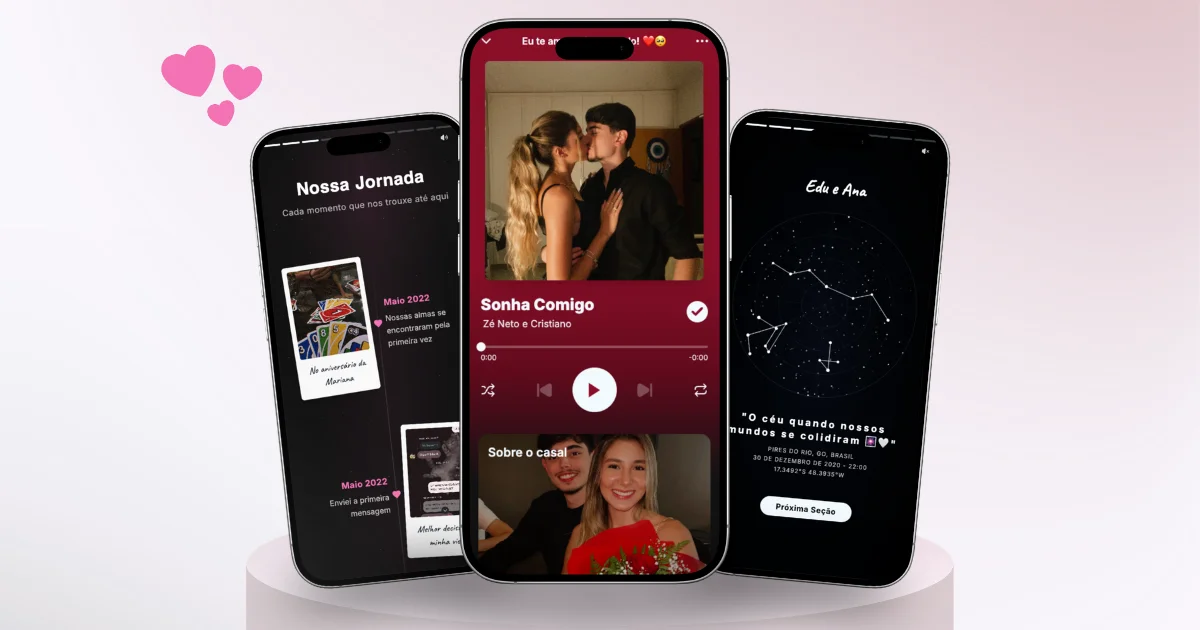
A friendship website is an interactive landing page created to honor a friendship. Unlike a simple photo collage or a social media post, the website is a complete experience: when the person opens the link, they find a page with professional Spotify-style design, with photos of you together, a background song playing, a real-time friendship counter, and a personalized letter.

But the heart of the friendship website is the Wrapped Retrospective — an animated, cinematic experience that shows data about your friendship (how long you've known each other, the moon phase on the day you met, the season, fun facts) and contains several interactive sections: memory timeline, photo gallery, world map, word game, surprise wheel, and star map.

On platforms like LovePanda, the "Friends" gift type is already configured for friendships — with texts, colors, and sections adapted for this type of relationship. You don't need to adapt a couple's template. It's made from friend to friend from the start.

The friendship website works on any phone, tablet, or computer with internet. Just share the link or QR Code via WhatsApp, Instagram, or any social media.

What does a friendship website include?

The friendship gift on LovePanda is divided into two parts: the homepage (Time Together) and the Wrapped Retrospective. The homepage is the first thing the person sees when opening the link. The Wrapped is the animated experience that contains all the interactive sections. Here's what each part offers:

Homepage (Time Together)

  • Friendship photos — the most memorable pictures of you together
  • Background music — the song that defines your friendship, playing automatically
  • Time counter — shows in real time how long you've been friends (years, months, days, hours, and minutes)
  • Letter / special message — a text written by you for your friend
  • Free QR Code — to print and hand-deliver along with a card or physical gift

Wrapped Retrospective (interactive sections)

The Wrapped Retrospective is where the magic happens. It starts with animations showing friendship data and then moves through interactive sections that you personalize. All within the same animated experience:

  • Memory timeline — a timeline with the most important milestones of the friendship: when you met, trips, parties, graduations, and memorable moments
  • Photo gallery — Cards or Stories layout with personalized captions for each photo
  • Star map — the sky exactly as it was on the day the friendship began, with real animated constellations
  • Word game (Wordle) — an interactive game where the person has to guess a secret word you chose (it can be an inside joke, nickname, or word that defines the friendship)
  • World map — an interactive map with the places you've visited together, each with a photo and description
  • Surprise wheel — a wheel the person spins to discover personalized options: challenges, plans, memories, or any creative idea

You choose which sections to activate. You can use all of them or only the ones that make sense for your friendship. All are included in both plans, at no extra cost.

Step by step: how to create your friendship website

Creating a friendship website is faster than picking a gift at the mall. Follow this step-by-step tutorial using LovePanda:

Pronto para surpreender?

Crie um presente digital inesquecível em menos de 5 minutos. Escolha o tipo de presente e comece agora.

  1. Access the platform — go to lovepanda.co/create and click start
  2. Select the "Friends" type — this unlocks all sections adapted for friendship, including the full Wrapped Retrospective
  3. Fill in the names — enter your name and your friend's name (or the group name, if it's a collective tribute)
  4. Enter the friendship date — when you met or became friends, for the time counter and retrospective data
  5. Choose the sections — check everything you want to include: retrospective, gallery, timeline, Wordle, world map, wheel, star map
  6. Upload the photos — select the best friendship photos (the more, the better! unlimited photos on all plans)
  7. Write the messages — fill in the letter, photo captions, timeline milestones, and wheel options
  8. Choose the music — search for your song directly on the platform, it will play automatically when the person opens the link

After filling everything in, just choose the plan and make the payment. The plans for friends are:

  • OneDay — $4.90 — 24-hour access, ideal for a one-time surprise (birthday, Friendship Day)
  • Forever — $9.90 — lifetime access, the page stays available forever

Both plans include all sections, unlimited photos, free QR Code, and the full Wrapped Retrospective. One-time payment by credit card, no subscription. And there's a 14-day guarantee — if you don't like it, you get your money back.

Personalization ideas for friendship

Every friendship is unique, and the website should reflect that. Here are creative suggestions to personalize each section of your friendship website:

  • Timeline — mark the day you met, the first trip together, that unforgettable party, graduation, the day one of you helped the other through a tough time
  • Photo gallery — mix funny photos (chat screenshots, bad selfies, Halloween costumes) with emotional photos (graduations, trips, reunions)
  • Word game — use as the secret word the nickname you both use, the name of that epic trip, or an inside joke only you two understand
  • World map — mark the school or college where you met, the cities you visited together, the favorite restaurant, the destination of the next trip
  • Surprise wheel — create options like: "next trip: beach or mountains?", "challenge: send a voice note singing," "favorite memory: pajama party 2019"
  • Star map — choose the date you met or the day of a memorable moment in the friendship
  • Music — the song you scream together in the car, the one that played on that trip, or the one that became the group's anthem
  • Letter — write as if you were talking in person. The simplest and most sincere words are the ones that move people the most

If the friend group is large, ask each person to send a photo and a message. You can include everything on the website and turn it into a collective tribute. The impact is multiplied.

When to give a friendship website as a gift?

A friendship website works for any occasion, but there are moments when it shines even more. Here are the best occasions:

  • Friend's birthday — replace the generic gift with something that shows you truly know the person. Include photos from past birthdays in the timeline
  • Friendship Day — the perfect date for a surprise. If it's a group, create it together. Check out more ideas in our guide on Friendship Day gifts
  • No specific date (surprise!) — the most memorable gifts are the unexpected ones. Surprise them on a random Tuesday, for no reason at all. That's the one they'll never forget
  • Graduation — celebrate the academic journey together. Use the timeline to mark semesters, exams, parties, and the diploma
  • Moving or distance — when a friend moves to another city or country, the website becomes a time capsule they can open whenever they miss you
  • Reconciliation — if you went a while without talking, a website showing all the good memories can be the perfect gesture to reconnect

And if you're looking for more gift ideas for your best friend, we have a complete guide with detailed sections and real testimonials.

Friendship website vs physical gift

Many people wonder if a digital gift has the same impact as a physical gift. The truth is, most of the time, the friendship website comes out on top. See the comparison:

CriteriaFriendship websiteTraditional physical gift
Time to create5 minutesHours (shopping + wrapping)
CostStarting from $4.90$20-100+
Emotional impactVery high (personalized)Variable (can be generic)
DurabilityLifetime (Forever plan)Depends on the item
Personalization levelTotal (photos, music, texts, sections)Limited (engraving, wrapping)
Remote deliveryInstant (link/QR Code)Requires shipping (days)
AccessibilityAny phone with internetRequires being physically present
Sustainability100% digital, no wastePackaging, shipping, materials

The most powerful combination? Combine both. Give a simple physical gift (chocolate, flowers, a card) with the website's QR Code tucked inside. The physical gift creates the initial surprise, and the friendship website delivers the real emotion.

Frequently Asked Questions

A friendship website is a way of saying "our story matters and I made sure to preserve every moment." It's creative, emotional, interactive, and ready in minutes. It doesn't matter if you see each other every day or live in different countries — the gift arrives through a link, creates real emotion, and stays saved forever.

If you're ready to create yours, just go to the platform and select the "Friends" type. In 5 minutes, the website will be ready to surprise the most special person in your life.

Pronto para surpreender?

Crie um presente digital inesquecível em menos de 5 minutos. Escolha o tipo de presente e comece agora.

Lucas Mendes

Escrito por

Lucas Mendes

Especialista em Tecnologia e Produtos Digitais

Lucas analisa plataformas e ferramentas digitais para ajudar você a escolher a melhor opção. Ele testa cada recurso em detalhe e cria tutoriais práticos para quem quer criar presentes digitais sem complicação.

CompartilharWhatsAppX

Explore nossos presentes

Conheça as opções de presentes digitais personalizados